How Do I Choose Between the Top 5 Cold Wallets? A Palo Alto Guide for Crypto Investors and Web3 Developers
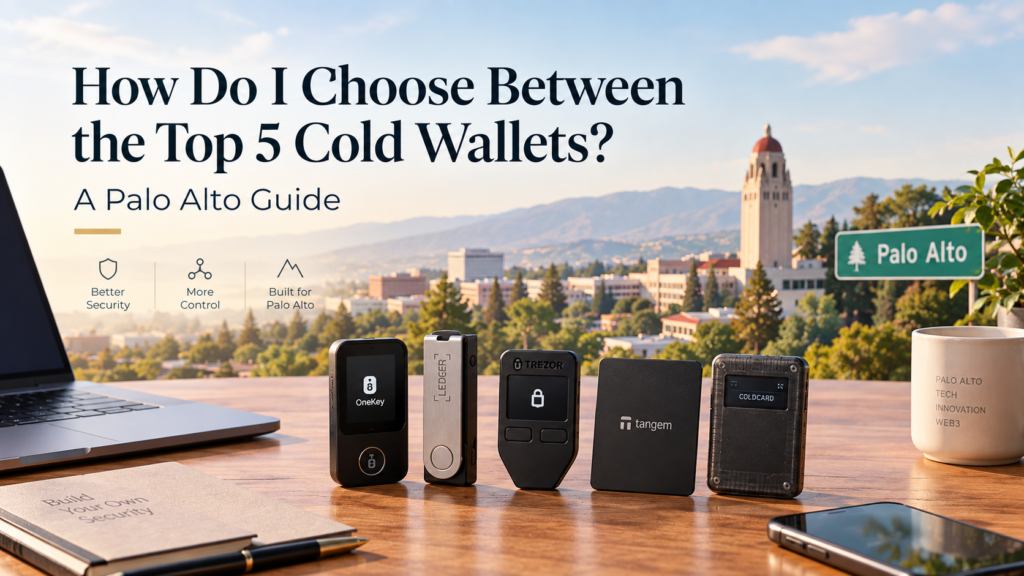
Choosing a cold wallet is not simply about finding the most popular device or the wallet with the longest list of supported cryptocurrencies.
For crypto investors and Web3 developers in Palo Alto, the better question is which wallet fits their actual security needs, assets, and daily workflow.
A long term Bitcoin holder may want a simple setup with strong backup options. A Web3 developer working around Stanford Research Park may need broader network support and reliable transaction verification. Meanwhile, a startup founder in Downtown Palo Alto may need a more structured approach to managing business assets.
These users can all benefit from cold storage, but they do not necessarily need the same device.
Palo Alto sits within one of the world’s most active technology environments. Areas such as Downtown Palo Alto, University Avenue, California Avenue, and Stanford Research Park attract technology companies, developers, founders, researchers, and investors. As digital assets become part of more technology focused portfolios, hardware based self custody can become an important part of a broader security strategy.
However, buying the right cold wallet requires more than comparing product prices.
The important factors include private key protection, transaction verification, supported assets, software compatibility, recovery options, physical security, and ease of use.
This guide compares five well known cold wallet options and explains how Palo Alto crypto users can decide which approach fits their needs.
What Makes a Cold Wallet Worth Choosing?
A cold wallet keeps private keys separated from the internet connected environment used for everyday computing.
That separation can reduce exposure to certain online threats. However, the device does not automatically make every transaction safe.
The user still needs to protect the recovery phrase, verify transaction details, use official software, and understand what they are signing.
Therefore, a useful cold wallet comparison should start with the security model rather than the price tag.
Private Key Protection
Private key control is the foundation of self custody.
With a non custodial hardware wallet, the private key stays under the user’s control. The device signs transactions without requiring the private key to be exposed to a browser or ordinary computer environment.
This can be especially useful for users who regularly work with development machines.
A developer laptop can contain browser extensions, software packages, cloud credentials, API keys, repositories, and other valuable information. If malware reaches that environment, an online wallet can become an attractive target.
Cold storage creates another layer between the private key and the potentially compromised computer.
Transaction Verification
Transaction verification is another major factor.
A hardware wallet should provide a trusted place where users can review important transaction details before confirming an action.
This matters even more when a wallet interacts with decentralized applications.
A malicious website can present a transaction request that appears harmless while asking for a much more dangerous permission. If the user approves the request without checking the actual details, the hardware device cannot prevent the mistake.
Clear transaction information can therefore make a meaningful difference.
Supported Assets
The number of supported cryptocurrencies is another consideration.
A Bitcoin focused investor may have simple requirements. A Web3 developer may need access to several networks and applications.
However, a larger asset list does not automatically make a wallet better.
The more important question is whether the wallet supports the assets and applications you actually use.
Users should check current compatibility before buying because network and application support can change over time.
Recovery and Backup
The recovery phrase deserves the same attention as the hardware device itself.
A cold wallet can protect a private key from many online threats, but someone who obtains the recovery phrase may still gain access to the assets.
Never photograph your recovery phrase.
Keep it out of Google Drive and other cloud services.
Do not send it through WhatsApp, Telegram, email, or social media.
A durable physical backup can provide another layer of protection against physical damage or loss.
How Should You Compare the Top 5 Cold Wallets?
There is no universal winner.
Instead, each product can make sense for a different type of user.
For this comparison, five recognizable options are OneKey, Ledger, Trezor, Tangem, and Coldcard.
The important point is not to declare one product the best for everyone.
Instead, compare the security model and user experience against your own requirements.
1. OneKey
OneKey is an option worth considering for users who want hardware based self custody with a strong focus on Web3 usage, multi chain support, and open source principles.
Its product range includes Classic 1S and Pro devices. OneKey also offers KeyTag Titanium as a physical backup option for users who want a more durable way to protect their recovery information.
OneKey emphasizes 100 percent open source development, Secure Element EAL6 plus protection, anti tamper technology, and clear signing.
These features can be useful for users who want to verify transaction details before confirming them.
For a Web3 developer in Palo Alto, this can matter when interacting with decentralized applications from a development workstation. The hardware wallet provides a separate signing environment instead of leaving the private key inside a browser based wallet.
OneKey Free Delivery Offer for the United States
For Palo Alto users, there is also a current purchasing benefit worth highlighting.
Orders over US$99 qualify for free delivery in the United States, based on the current offer provided for this campaign.
Users can also receive up to 5 USDT cashback under the applicable promotion.
That means a Palo Alto buyer ordering a qualifying OneKey device can receive free delivery while also having the opportunity to receive cashback.
This is particularly useful when comparing the total purchase cost against other hardware wallets. The final value is not only the listed device price. Shipping and available promotional benefits can also affect the overall cost.
For users comparing cold wallets, the important point is still to evaluate the security architecture and workflow first. The free delivery promotion adds value, but it should not replace a proper security comparison.
2. Ledger
Ledger is one of the most established names in the hardware wallet market.
Its ecosystem covers a broad range of crypto assets and provides a familiar option for investors who want an established hardware wallet environment.
Ledger can be suitable for users who want broad asset support and an established companion software experience.
However, buyers should compare individual models rather than treating every Ledger device as identical.
Screen size, connectivity, supported assets, device design, and user experience can vary between models.
For a Palo Alto investor, the decision should therefore focus on the specific model and the actual workflow rather than the brand name alone.
3. Trezor
Trezor is another established hardware wallet brand with a strong connection to open source development.
That can appeal to technically minded users who value transparency and community review.
For developers, open source software can make the technology easier to examine and understand.
However, open source status should not become the only deciding factor.
A secure custody setup also depends on hardware design, firmware, update procedures, transaction confirmation, recovery practices, and the user’s own behavior.
Trezor can be a strong candidate for users who place significant value on transparency and open source principles.
4. Tangem
Tangem takes a different approach from traditional USB style hardware wallets.
Its card based form factor focuses heavily on portability and simplicity.
That design can appeal to users who travel frequently or want a compact device that is easy to carry.
For someone working between Downtown Palo Alto, California Avenue, and other parts of the Bay Area, portability can be useful.
However, users should consider how much transaction information they want to verify directly on the device.
A compact design may work very well for one user while another person may prefer a device with a more traditional interface.
The right choice therefore depends on the user’s priorities.
5. Coldcard
Coldcard is strongly associated with Bitcoin focused self custody.
That makes it different from a general multi chain hardware wallet.
For a Bitcoin investor who wants a specialized Bitcoin custody solution, this focus can be attractive.
On the other hand, a Web3 developer who regularly works with Ethereum, stablecoins, Solana, XRP, or other ecosystems may require broader compatibility.
Coldcard therefore illustrates an important point in cold wallet shopping.
A specialized device can be excellent for a specific use case without being the best choice for every crypto user.
Cold Wallet Comparison for Palo Alto Users
The following framework can help narrow the decision.
| Factor | OneKey | Ledger | Trezor | Tangem | Coldcard |
|---|---|---|---|---|---|
| Main focus | Web3 and multi chain self custody | Established hardware wallet ecosystem | Open source focused self custody | Portable card based design | Bitcoin focused custody |
| Suitable for | Investors and Web3 users | Broad crypto users | Transparency focused users | Users who value portability | Bitcoin focused investors |
| Multi chain use | Strong option | Strong option | Strong option | Strong option | More limited |
| Developer use | Strong option | Strong option | Strong option | Depends on workflow | Mainly Bitcoin |
| Physical backup | KeyTag Titanium option | Separate backup required | Separate backup required | Depends on setup | Separate backup required |
| Transaction verification | Hardware based signing | Hardware based signing | Hardware based signing | Device specific | Bitcoin focused workflow |
| Main buying question | Does it fit my Web3 and self custody needs? | Do I prefer an established ecosystem? | Do I value open source transparency? | Do I want a compact format? | Is my portfolio mainly Bitcoin? |
This comparison should not be treated as a ranking.
Instead, it shows why the best cold wallet depends on the user.
What Should Palo Alto Crypto Investors Consider?
A long term investor in Downtown Palo Alto may have a very different custody strategy from a developer working near Stanford Research Park.
Suppose the investor mainly holds Bitcoin and other major assets for several years.
In that case, recovery procedures, physical backup, private key protection, and simple transaction verification may matter most.
Now consider a Web3 developer who frequently interacts with decentralized applications.
That person may care more about network compatibility, transaction visibility, signing workflows, and software integration.
The same applies to startup founders.
A founder managing company owned crypto should consider how access is documented, where recovery information is stored, and what happens if one person becomes unavailable.
Therefore, choosing a cold wallet starts with identifying the threat model.
Why Developer Security Matters in Silicon Valley
Crypto security is closely connected to general digital security.
A developer workstation can contain valuable credentials and applications. It can also interact with browser extensions, software repositories, cloud platforms, and decentralized applications.
An attacker does not always need to compromise the blockchain.
Instead, the attacker can target the environment used to control the assets.
This can happen through malicious browser extensions, phishing pages, compromised software dependencies, or infostealer malware.
Cold storage changes the equation because the private key does not need to remain inside the internet connected computer.
Your computer can prepare a transaction.
Next, the hardware wallet can display and sign it.
Finally, the network can process the signed transaction.
This separation can reduce the impact of certain types of computer compromise.
Still, users must verify what they sign.
Clear Signing Matters for Web3 Users
Web3 users face a different security challenge from someone who simply holds Bitcoin.
A decentralized application may request a signature or permission that is difficult to understand from the browser interface alone.
This creates a risk known as blind signing.
A user may believe they are approving one action while the underlying transaction grants a much broader permission.
Clear signing can help by giving users more meaningful transaction information on the trusted hardware device.
For a developer or active Web3 user in Palo Alto, this feature can become more important than simple portability.
The more frequently a wallet interacts with decentralized applications, the more important transaction verification becomes.
Should You Keep Everything in One Cold Wallet?
Not necessarily.
A better approach for many users is to separate funds according to their purpose.
Long term holdings can remain in cold storage.
A smaller operational balance can stay in a hot wallet.
This creates a boundary between long term savings and everyday Web3 activity.
If a user interacts with an experimental decentralized application, the main long term holdings do not need to be exposed to that transaction environment.
The same principle can apply to business assets.
Personal funds and company funds should not automatically share the same recovery setup.
Separation can make security procedures easier to understand and can limit the potential impact of a single mistake.
Mypal for Spending Without Moving Everything Back to an Exchange
Cold storage is excellent for long term custody, but users still need to spend crypto.
Moving assets back to a centralized exchange every time you need to make a payment can add unnecessary steps.
Mypal can provide another route for supported self custody assets such as USDT and USDC.
Users can top up from supported assets and use familiar payment methods such as Apple Pay or Google Pay where supported.
This can create a practical separation between long term storage and everyday spending.
A Palo Alto investor could keep the majority of their assets in cold storage while maintaining a smaller spending balance for daily needs.
Invite Code: 27090432
KITE for Web3 Developer Expenses
Web3 developers have another practical problem.
Crypto is not only an asset to store. It can also become part of the payment workflow for digital infrastructure.
A developer may need to pay for services such as AWS, GitHub, OpenAI API, server nodes, and other eligible digital expenses.
KITE can provide a separate spending route through its borderless payment setup and virtual card for eligible expenses.
This allows a developer to keep long term holdings in cold storage while using a separate payment balance for operational costs.
Referral Code: OKLL5B
Three Cold Wallet Strategies for Palo Alto Users
Long Term Investor
If your main goal is long term storage, prioritize private key protection, reliable recovery, physical backup, and simple transaction verification.
You may not need the most advanced Web3 integrations.
Active Web3 User
If you interact with decentralized applications frequently, prioritize clear signing, supported networks, transaction visibility, and application compatibility.
The wallet should make regular signing easier to verify rather than simply making transactions faster.
Business or B2B User
Businesses and communities may have different requirements.
They may need multiple devices, commercial invoices, documented setup procedures, and separate custody policies.
For larger OneKey purchases, wholesale orders start at 25 units. This can be relevant for Web3 teams, communities, organizations, and resellers.
Five Steps to Set Up a Cold Wallet Safely
Buying a hardware wallet is only the beginning.
1. Inspect the Device
Check the packaging and device when it arrives.
If anything appears suspicious or tampered with, contact the official manufacturer through its verified support channels before using the device.
2. Use Official Software
Install the wallet software from the manufacturer’s official source.
Do not use links sent through random messages, social media accounts, or unknown websites.
3. Generate the Recovery Phrase During Setup
Let the device generate the recovery phrase through the official setup process.
Do not create your own phrase.
Never enter the phrase on a website.
Keep it out of screenshots.
Do not upload it to cloud storage.
4. Create a Durable Physical Backup
Long term holders should consider how the recovery phrase will survive physical damage.
A durable metal backup can provide additional protection against problems such as water, fire, or physical deterioration.
OneKey KeyTag Titanium is one option designed for this type of physical backup.
5. Consider an Additional Passphrase
Experienced users may consider adding a passphrase.
A passphrase can provide another security layer, but it also creates another recovery responsibility.
If the passphrase is forgotten, access to the associated wallet can be lost.
Therefore, advanced security features should only be used when the user fully understands the recovery process.
Common Cold Wallet Shopping Mistakes
One common mistake is choosing the cheapest device without considering the security workflow.
Price matters, but total value includes security features, software compatibility, backup options, shipping costs, and the way the wallet fits your daily use.
Another mistake is choosing a device based only on the number of supported cryptocurrencies.
A long asset list does not help if the wallet does not work well with the networks and applications you actually use.
Some users also focus entirely on the hardware while ignoring the recovery phrase.
That can create a serious weakness.
The recovery phrase is the ultimate backup for many self custody wallets. Anyone who gains access to it may be able to recover the wallet elsewhere.
Finally, users should not assume that a hardware wallet makes every transaction safe.
The device protects the private key.
The user still has to approve the correct transaction.
FAQ: Choosing a Cold Wallet in Palo Alto
Which cold wallet is best for Palo Alto crypto investors?
There is no single best device for everyone. The right choice depends on your assets, transaction frequency, preferred security model, and application requirements.
Is OneKey suitable for Web3 developers?
OneKey can be a strong option for developers who want hardware based self custody, multi chain functionality, open source principles, and a practical Web3 workflow. Always check current compatibility before purchasing.
Which cold wallet is best for Bitcoin?
Bitcoin focused investors may prefer a specialized device such as Coldcard. Users with multiple blockchain assets may prefer a broader hardware wallet.
Does OneKey offer free delivery in the United States?
Yes. Under the current offer highlighted for this campaign, OneKey orders over US$99 qualify for free delivery in the United States.
The offer also includes up to 5 USDT cashback under the applicable promotion.
Should I keep all my crypto on one hardware wallet?
Not necessarily. Separating long term holdings from active spending can reduce the amount exposed to everyday transaction activity.
Can cold wallets connect to Web3 applications?
Many hardware wallets can work with supported Web3 applications through compatible software. Always verify the specific wallet, network, and application before signing a transaction.
Is a cold wallet completely safe?
No.
Cold storage can reduce certain online risks, but it cannot eliminate every threat.
A stolen recovery phrase, malicious transaction approval, fake software, physical theft, or poor backup procedure can still lead to loss.
Choosing the Right Cold Wallet Is About Your Security Model
Comparing the top five cold wallets is not about finding one product that wins every category.
Instead, it is about matching the device to your actual needs.
Bitcoin-focused investors may value specialization.
For multi-chain investors, compatibility may matter more.
Web3 developers often prioritize transaction verification and application integration.
Startups and businesses may need a more structured custody process.
For Palo Alto users, this decision is particularly relevant because the local technology environment brings together developers, investors, founders, and technology businesses with very different digital asset requirements.
The strongest approach is to define the threat model first.
Then compare each wallet against that model.
For users who value multi chain self custody, Web3 functionality, open source principles, transaction verification, and physical backup options, OneKey can be a compelling option to consider.
The current United States promotion also adds practical value. Orders over US$99 receive free delivery, with up to 5 USDT cashback available under the promotion.
For supported self custody spending without moving every long term asset back to an exchange:
For eligible Web3 infrastructure and digital expenses:
The goal is not simply to own a cold wallet.
The goal is to build a custody system that you understand, can verify, and can recover when necessary.
For crypto investors and Web3 developers in Palo Alto, that means choosing based on the real security problem rather than choosing based only on popularity or price.
Leave a Reply