How Do I Protect My Crypto Wallet From Hacks? A Miami Security Guide
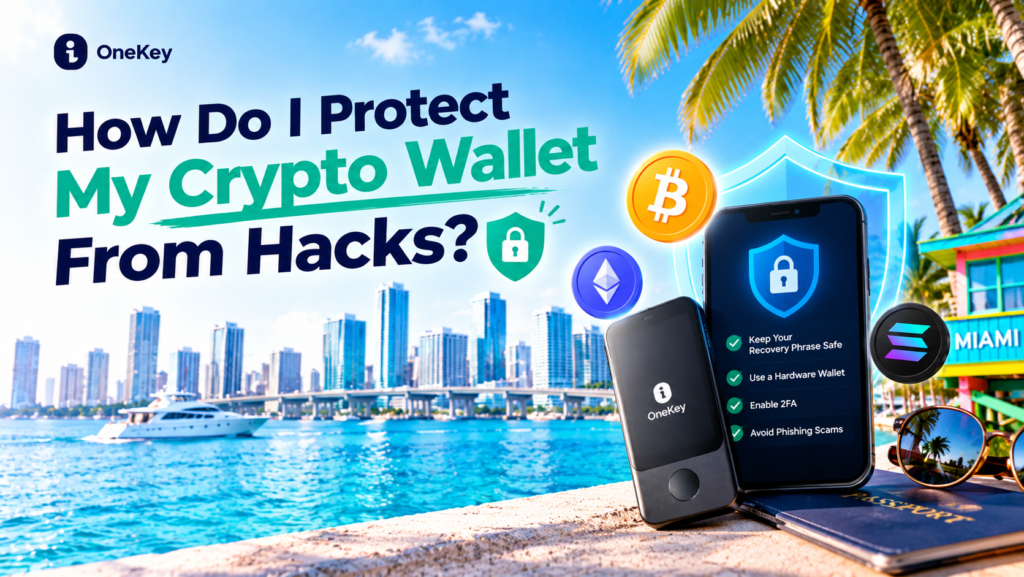
Cryptocurrency offers new ways to manage digital assets, make transfers, and participate in blockchain-based financial services. But owning Bitcoin, Ethereum, or stablecoins also means taking responsibility for digital security.
For beginners in Miami, Florida, protecting a crypto wallet is about more than choosing a strong password. Scammers may impersonate exchanges, send fake wallet alerts, create fraudulent investment websites, or trick users into revealing their recovery phrases. Even an expensive hardware wallet cannot protect funds if someone voluntarily hands over the keys that control them.
Whether you are a crypto investor in Brickell, a small-business owner in Downtown Miami, or someone buying Bitcoin for the first time, the same principle applies: protect your private keys, verify every transaction, and never trust an unexpected request for access to your wallet.
This guide explains how to protect your crypto wallet from hacks, which security habits matter most, and how to compare wallet options such as OneKey and ELLIPAL.
If you plan to hold crypto for the long term, consider a dedicated hardware wallet. Start by exploring OneKey hardware wallets, compare the security approach of ELLIPAL, and evaluate MyPal for its current crypto-related services. Choose according to your needs and verify the features of each specific product before committing funds.
Why Do Crypto Wallets Get Hacked?
First, it helps to understand what a crypto wallet actually does.
A crypto wallet generally does not store coins directly inside a device. Instead, it stores or manages the private keys that authorize transactions involving assets recorded on a blockchain. Whoever gains control of the relevant keys may be able to move those assets.
The U.S. Securities and Exchange Commission’s Investor.gov explains that private keys are critical to accessing crypto assets and that losing them may mean permanently losing access to the funds. It also warns investors to protect their recovery phrases and watch out for phishing scams.
Read the official Crypto Asset Custody Basics for Retail Investors.
Common ways crypto users lose access to their funds include:
- Phishing attacks: Fake websites or messages trick users into revealing credentials or recovery phrases.
- Malicious applications: Fraudulent wallet apps or browser extensions attempt to steal sensitive information.
- Compromised devices: Malware may capture passwords, monitor activity, or interfere with transactions.
- Unsafe wallet connections: Users approve suspicious smart-contract permissions or transactions.
- Recovery phrase theft: Someone obtains the secret words needed to restore a wallet.
- Exchange account compromise: Attackers gain access to an account held with a third-party platform.
- Social engineering: Scammers build trust and persuade victims to transfer crypto themselves.
Not every crypto loss involves a sophisticated technical hack. In many cases, criminals exploit human trust, urgency, or a user’s unfamiliarity with blockchain transactions.
1. Never Share Your Seed Phrase or Private Keys
Your recovery phrase—often called a seed phrase—is one of the most sensitive pieces of information associated with a self-custody wallet. It can allow someone to restore the wallet and gain control over its assets.
Treat it like the master key to your crypto.
How to protect your recovery phrase
- Write it down during wallet setup and store it somewhere secure and private.
- Keep it away from cameras, visitors, and people who do not need access.
- Avoid storing an unencrypted copy in email, cloud notes, messaging apps, or ordinary photo galleries.
- Never enter it into a website reached through an unsolicited message.
- Never send it to someone claiming to be customer support.
- Follow the wallet manufacturer’s official instructions for creating and protecting backups.
A legitimate support agent should not need your seed phrase to troubleshoot an ordinary issue. Anyone requesting it should be treated as a serious security warning.
Important: A hardware wallet does not make a recovery phrase safe after you disclose it. If you believe your phrase has been exposed, use a clean, trusted device to create a new wallet and transfer remaining assets to it as soon as you can do so safely. Seek official wallet guidance if you are unsure how to proceed.
2. Consider a Hardware Wallet for Long-Term Holdings
A hardware wallet is a physical device designed to protect private keys and help authorize transactions. Depending on the product and setup, it can reduce exposure to some online threats compared with keeping keys on an internet-connected device.
It is not a guarantee against theft. A user can still approve a malicious transaction, reveal a recovery phrase, or send funds to the wrong address.
Hardware wallet vs. software wallet
| Feature | Software wallet | Hardware wallet |
|---|---|---|
| Typical form | Mobile app, desktop app, or browser wallet | Dedicated physical device |
| Convenience | Often convenient for frequent transactions | May require extra steps to approve transactions |
| Online exposure | Depends on the device, application, and setup | Designed to keep keys more isolated from internet-connected devices |
| Recovery phrase risk | User must protect the backup | User must still protect the backup |
| Main consideration | Device security and app authenticity | Device authenticity, transaction verification, and backup security |
A software wallet can be appropriate for small amounts used frequently. A hardware wallet may be worth considering for assets you intend to hold over a longer period.
The SEC’s investor guidance discusses the trade-offs between hot wallets, cold wallets, self-custody, and third-party custody. Read its crypto custody guide.
Why consider OneKey?
If you want to take wallet security more seriously, start by comparing OneKey hardware-wallet options.
Before purchasing, verify the exact model’s supported assets and networks, how transactions are reviewed and approved, how backups work, and whether the device fits your level of experience.
A dedicated wallet is a security tool—not an investment product. It cannot prevent market losses or guarantee recovery if you disclose your recovery phrase.
Ready to review your options? Explore OneKey here.
3. Compare ELLIPAL if You Prefer an Air-Gapped Wallet Approach
Some hardware wallets use an air-gapped design intended to keep the signing device isolated from direct internet connections. ELLIPAL offers products built around this approach.
Air-gapped designs may reduce certain forms of online exposure, but they do not eliminate every risk. Users must still verify transaction details, protect recovery phrases, avoid counterfeit devices, and follow official setup instructions.
Before buying, check:
- Which coins, tokens, and blockchain networks are supported.
- How the device displays and approves transaction information.
- How firmware updates and device authenticity are verified.
- What happens if the device is lost or damaged.
- Whether the setup is practical for your transaction habits.
If this security approach fits your needs, compare ELLIPAL’s current hardware wallets and review the official specifications before ordering.
Do not assume that every token or network is supported simply because a wallet supports a popular cryptocurrency.
4. Use Strong Passwords and Multi-Factor Authentication
If you buy crypto through an exchange or use a custodial platform, your account security is another important layer.
A wallet’s security cannot compensate for a compromised email account or an attacker who takes over the account used to access your assets.
Follow these account-security rules
- Use a unique, long password for each crypto-related account.
- Use a reputable password manager to create and store passwords.
- Enable multi-factor authentication (MFA) wherever available.
- Prefer phishing-resistant authentication methods or an authenticator app when supported.
- Secure the email account used for password resets.
- Set up withdrawal allowlists or transaction alerts if your platform offers them.
- Review login sessions and remove devices you no longer recognize.
MFA adds another layer of protection because a password alone may not be enough to access an account. The U.S. Cybersecurity and Infrastructure Security Agency explains how MFA can make account compromise more difficult. See CISA’s guidance on multi-factor authentication.
Remember that MFA does not make you immune to phishing. Never approve an unexpected login request, and do not share one-time codes with anyone who contacts you.
5. Watch Out for Fake Wallet Websites and Phishing Messages
Phishing is one of the most important threats for everyday crypto users. Attackers may create websites that look almost identical to a legitimate exchange or wallet provider.
You might receive a message claiming:
- Your wallet has been suspended.
- Your account needs urgent verification.
- Your funds are at risk unless you connect your wallet.
- You have won a token reward that requires a wallet connection.
- Customer support needs your recovery phrase to restore access.
These messages often rely on urgency to make you act without checking the details.
How to identify a suspicious link
- Check the domain carefully for misspellings and unexpected extra words.
- Avoid links in unsolicited direct messages, emails, and text messages.
- Type the official address yourself or use a trusted bookmark.
- Download wallet applications only from verified official sources.
- Never enter a recovery phrase to claim a giveaway or unlock an account.
- Be cautious when a site asks you to connect your wallet and approve an unfamiliar transaction.
The FBI warns that cryptocurrency investment fraud often uses convincing websites, social engineering, and promises of high returns to persuade victims to send funds. Its cryptocurrency investment fraud guidance explains common warning signs and reporting steps.
6. Review Every Transaction Before You Approve It
A hardware wallet can help protect private keys, but it cannot determine whether a transaction is wise or legitimate.
Before confirming a transfer, carefully check:
- The recipient address.
- The cryptocurrency and blockchain network.
- The amount and estimated fees.
- The destination shown on the signing device, where applicable.
- Any smart-contract permissions you are granting.
Crypto addresses can be long and difficult to compare. Malware may also replace a copied address with one controlled by an attacker. Verify the destination rather than trusting your clipboard alone.
For a new recipient, consider sending a small test transaction first if the fees and circumstances make this practical. A test transfer can help confirm that the address and network are correct, but it does not prove that a recipient or investment opportunity is trustworthy.
Be careful with token approvals
Some decentralized applications request permission to move tokens from your wallet. Granting unlimited or unnecessary approval can expose assets to additional risk if the contract or application is malicious or compromised.
Use reputable applications, understand what you are signing, and review and revoke unnecessary permissions using trusted tools when appropriate. Revoking an approval does not reverse transactions that have already occurred.
7. Keep Your Phone and Computer Secure
Your phone or computer may be the entry point attackers use to access wallet applications, exchange accounts, or sensitive information.
Build a simple device-security routine:
- Install operating-system and security updates promptly.
- Avoid installing applications from unknown sources.
- Remove browser extensions you no longer use or do not recognize.
- Use a screen lock and device encryption where available.
- Avoid managing significant crypto holdings on shared or public computers.
- Be cautious with public Wi-Fi, especially when accessing financial accounts.
- Do not install remote-access software at the request of an unsolicited “support agent.”
- Keep a separate, secure email account for important financial services if practical.
For businesses in Miami that accept digital payments, limit employee access to wallets and payment systems. Use separate accounts or permissions where available, document transaction-approval procedures, and require additional checks for large transfers.
8. Avoid Suspicious Investment Offers and Fake Recovery Services
Crypto scams often begin before a victim even opens a wallet. Someone may contact you through social media, a messaging app, a dating platform, or an online community and gradually build trust before introducing an investment opportunity.
Warning signs include:
- Guaranteed profits or claims of unusually high returns with no risk.
- Pressure to deposit more money immediately.
- A platform that displays profits but prevents withdrawals.
- Requests to pay extra “taxes,” “unlock fees,” or “verification deposits” before withdrawing.
- Requests to move funds to a wallet controlled by a stranger.
- A supposed recovery expert demanding an upfront payment to retrieve stolen crypto.
The FBI’s Miami Field Office has specifically warned about cryptocurrency investment fraud. In its March 2025 report on Operation Level Up, it described how scammers build trust and use high-return promises and urgency to manipulate victims. Read the FBI Miami warning.
If a stranger tells you to move your funds to a “secure wallet” they control, stop. If an investment platform refuses to release your money, do not send additional crypto simply to unlock a withdrawal.
9. Should You Use MyPal for Crypto Payments?
Not every crypto user needs the same setup. Some people primarily hold digital assets, while others are interested in payment-related services.
If your goal includes exploring crypto-related payments, you can review MyPal’s current offering. Before signing up, verify what the product currently provides, its supported assets and networks, account eligibility, fees, custody arrangements, and security procedures.
Do not assume that a payment product is a self-custody hardware wallet. Understand who controls the private keys, how withdrawals work, and what happens if access to the account is lost.
For long-term self-custody, compare wallet products such as OneKey and ELLIPAL separately from payment services. Each serves a different potential purpose.
10. What Should You Do If Your Crypto Wallet Is Compromised?
If you suspect that your wallet or exchange account has been compromised, act quickly—but avoid making rushed transfers to an unverified address.
Immediate response checklist
- Stop interacting with the suspicious website or person. Do not share additional information or approve more transactions.
- Secure your email and exchange accounts. Change compromised passwords from a clean device, revoke unfamiliar sessions, and reset MFA if necessary.
- If a recovery phrase may be exposed, create a new wallet using a trusted device and official instructions, then move remaining assets to the new wallet if it is safe to do so.
- Review suspicious token approvals and revoke risky permissions where appropriate.
- Preserve evidence. Save transaction IDs, wallet addresses, messages, screenshots, emails, and platform details.
- Contact the relevant exchange or wallet provider through its verified official support channel.
- Report suspected fraud. In the United States, you can file a report with the FBI’s Internet Crime Complaint Center at IC3.gov.
If funds have already been transferred out of a self-custody wallet, the transaction may be irreversible. Do not pay a stranger who promises guaranteed recovery. The FBI warns that recovery offers can themselves be fraudulent.
Crypto Wallet Security Checklist for Miami Beginners
Use this quick checklist before you buy or transfer crypto.
- I have backed up my recovery phrase securely and never shared it.
- I use a unique password for every crypto-related account.
- I have enabled MFA on exchange accounts and my primary email.
- I download wallet apps only from verified sources.
- I verify addresses, networks, amounts, and fees before confirming transactions.
- I understand what a wallet connection or token approval allows.
- I keep my phone, computer, and browser updated.
- I know how to contact my wallet provider through its official channels.
- I have considered whether a hardware wallet fits my long-term holdings.
- I do not trust guaranteed-return offers or people asking me to pay to recover lost crypto.
Final Thoughts: Protect Your Crypto Before You Buy More
Protecting a crypto wallet is not a one-time task. It requires secure backups, strong account protection, careful transaction review, and the ability to recognize scams before they cost you money.
For Miami beginners, start with the basics: never share your recovery phrase, secure your email and exchange accounts, verify every transaction, and be skeptical of unsolicited investment offers.
If you plan to hold assets for the long term, compare OneKey hardware wallets and ELLIPAL to see which security approach fits your needs. If you are exploring crypto-related payments, review MyPal separately and verify its current terms and features.
The most important rule is simple: your wallet is only as secure as the way you protect your keys and approve transactions. Choose your tools carefully, follow official security guidance, and never risk funds you cannot afford to lose.
Affiliate disclosure: This article contains affiliate links. The publisher may receive compensation if you make a qualifying purchase or sign up through certain links, at no additional cost to you. Products are not guarantees against hacking, theft, or financial loss.
Disclaimer: This article is for educational purposes only and does not constitute financial, investment, cybersecurity, tax, or legal advice. Security features vary by product and configuration. Always verify current product specifications and official guidance before acting.
Leave a Reply